Frequently Asked Questions
Quick answers for common GIS website, data, and mapping questions.
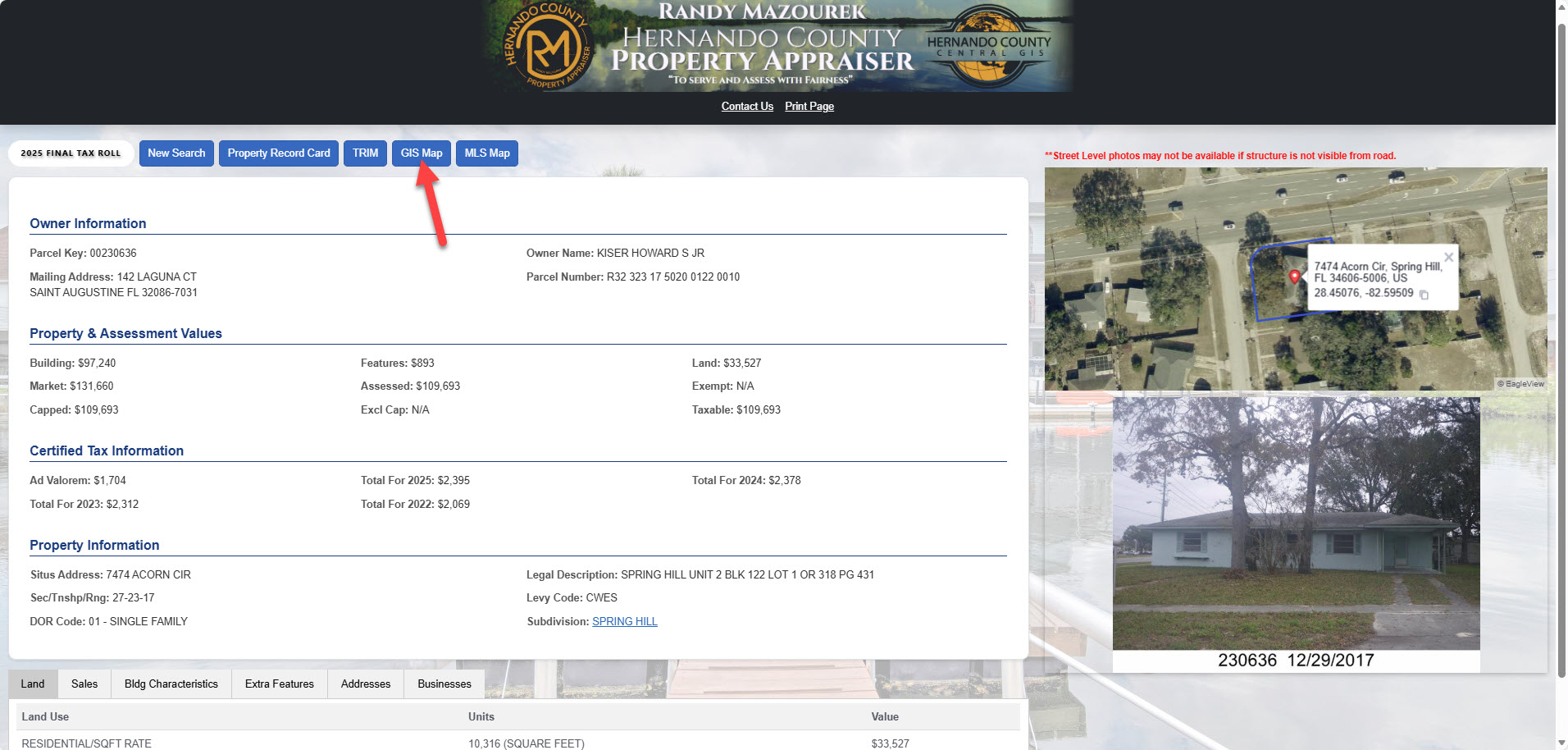
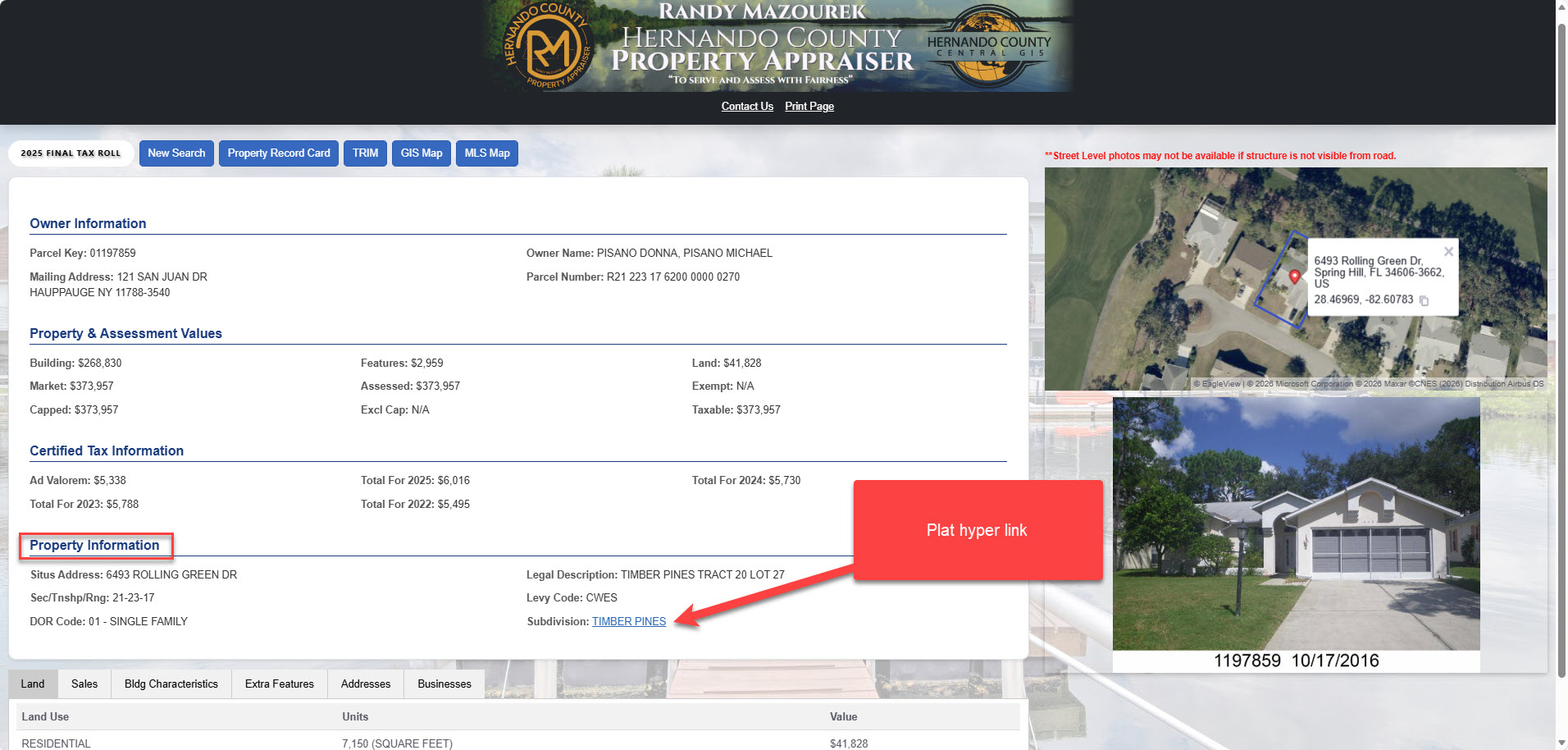
Our office does not have copies of surveys to give out, but we may have a plat map available. To see if we have a plat map for a property use our property search tool. In the property information box there will be a heading that says “Subdivision”. Next to it will be a hyperlink — click that and the plat map will open in a new tab. Please note there will not be a plat for every property. You can save the plat as a PDF or print it if needed.
Where to find plat maps:
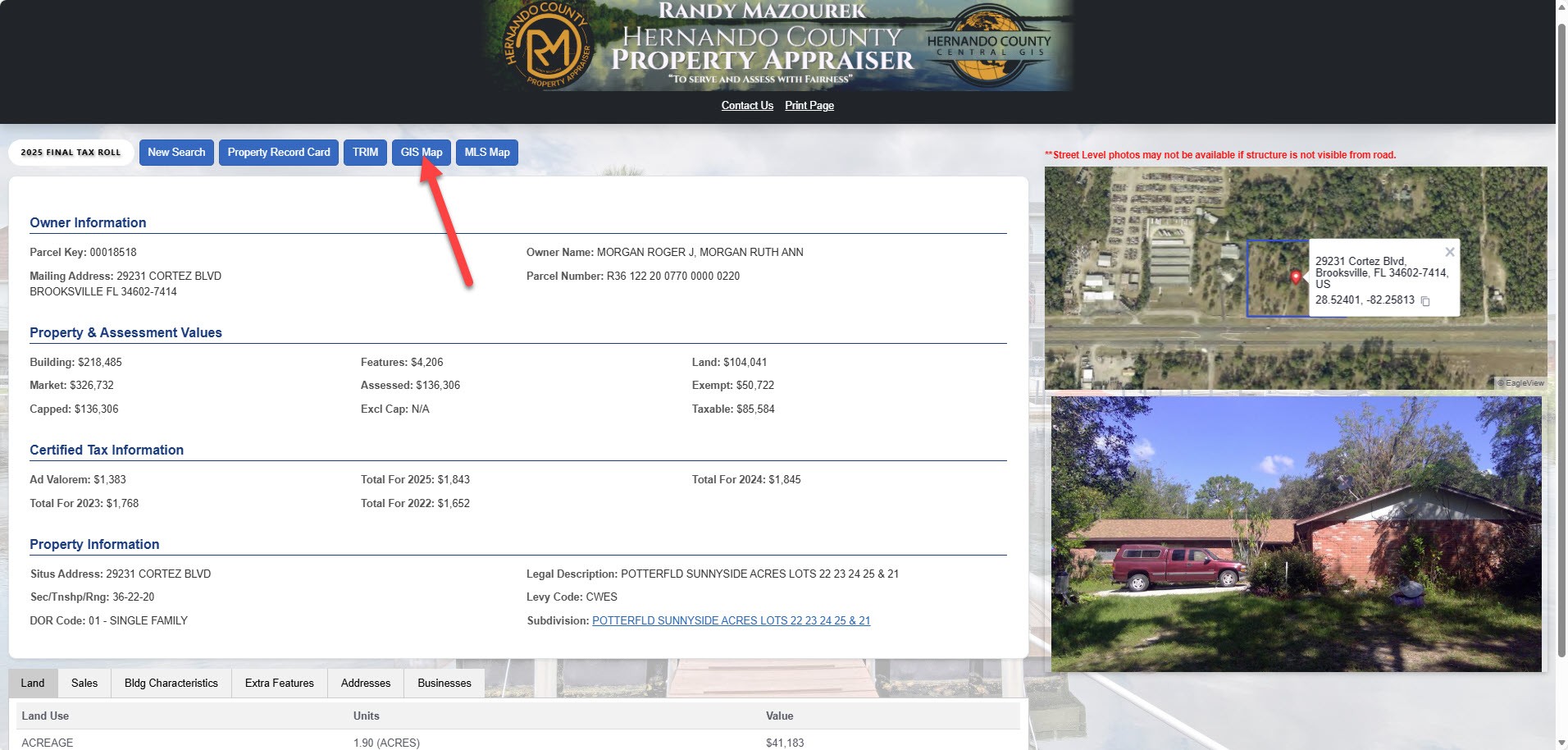
Where to find a map with property dimensions (Please note these may not be survey quality as our maps are used for taxation purposes);
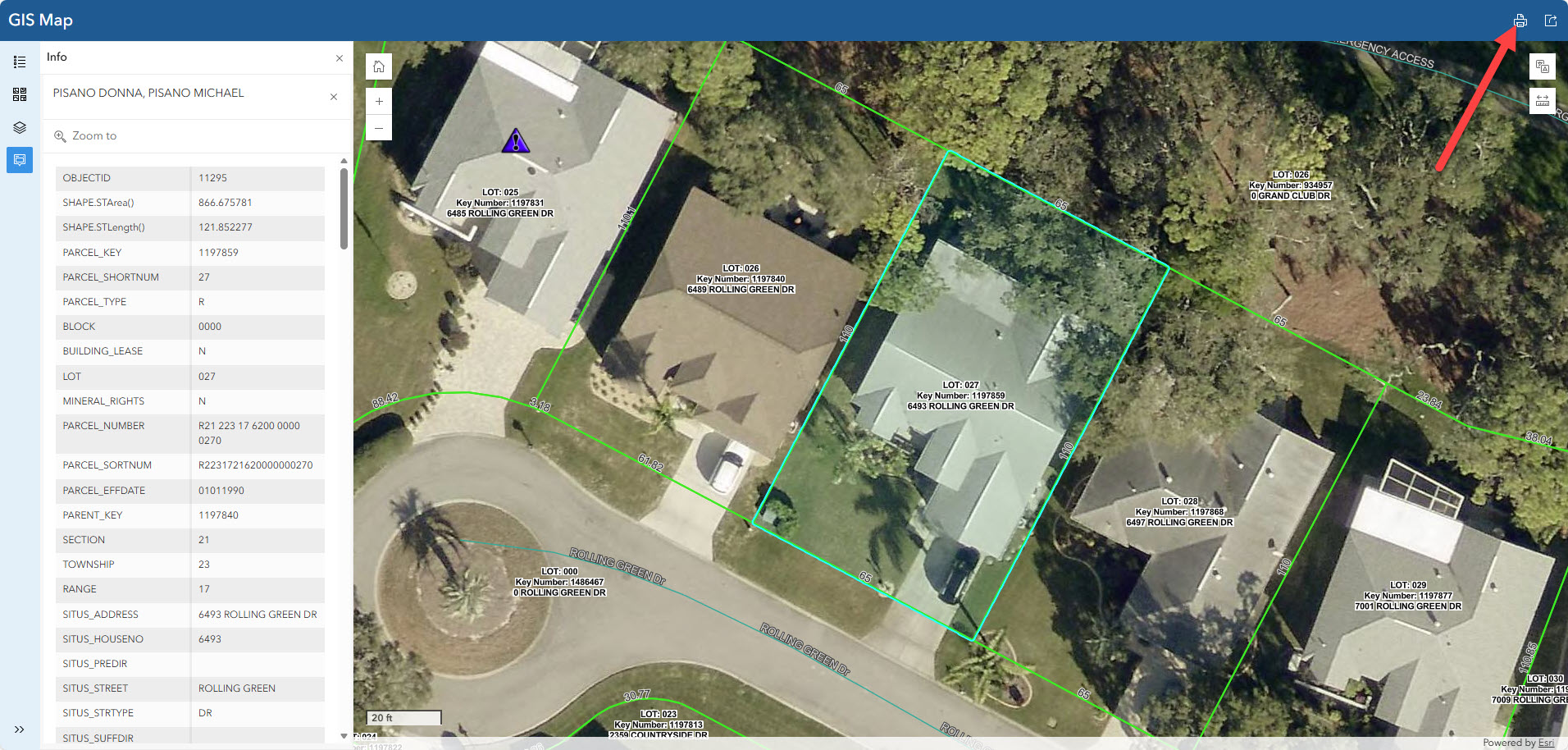
- Using the property search tool again this time in the GIS Map tab, click the printer button, this will open a map in another tab and you can save this as a pdf or print if needed. (See below)
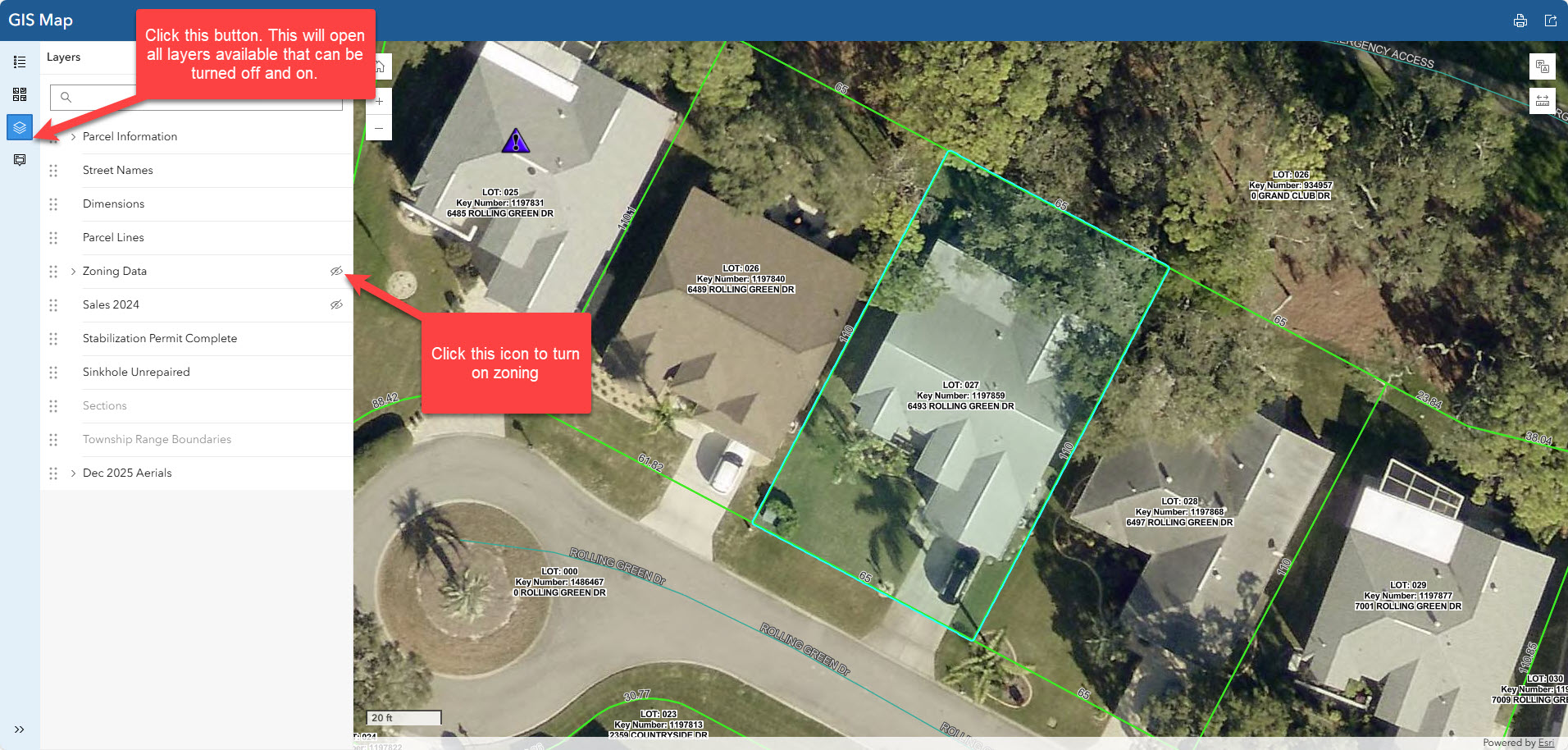
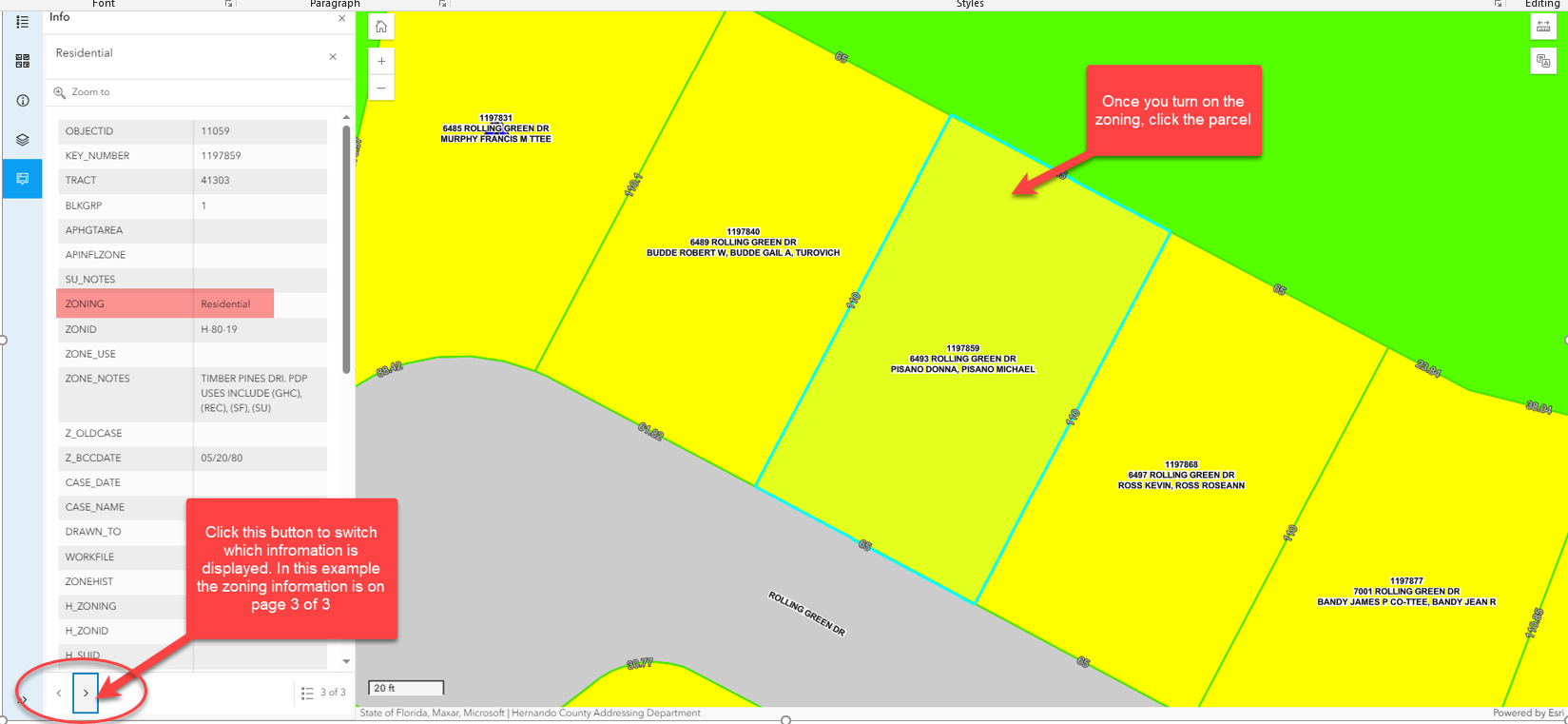
You can check the zoning of a property using the GIS Map tab on our website. Click the layers tab on the left side of your screen (second to last button) from there click the layer that says Zoning. This will turn the zoning on for the map. To get the specific zoning for the parcel select the parcel on the map and click the arrow at the bottom of the information table until the zoning data appears. (See example below) If you are wondering what you can build on the property with that zoning designation you will need to contact the Zoning Dept, they can be reached at (352) 754-4050 for more information.
A property can be merged if the following criteria is met; The properties need to be deeded the exact same (meaning they must have the same exact ownership. (For example, you cannot have a property with a husband and wife on one property and not on the other), the current certified taxes need to be paid, the properties need to be touching. If all of those are met you can fill out a split/merge application which can be found on our website under other forms. There is a $25 fee per parcel being merged (accepted with cash under $20 bill or check only), we need a copy of the owner’s driver’s license, the finished application can either be mailed in with payment or submitted in either office.
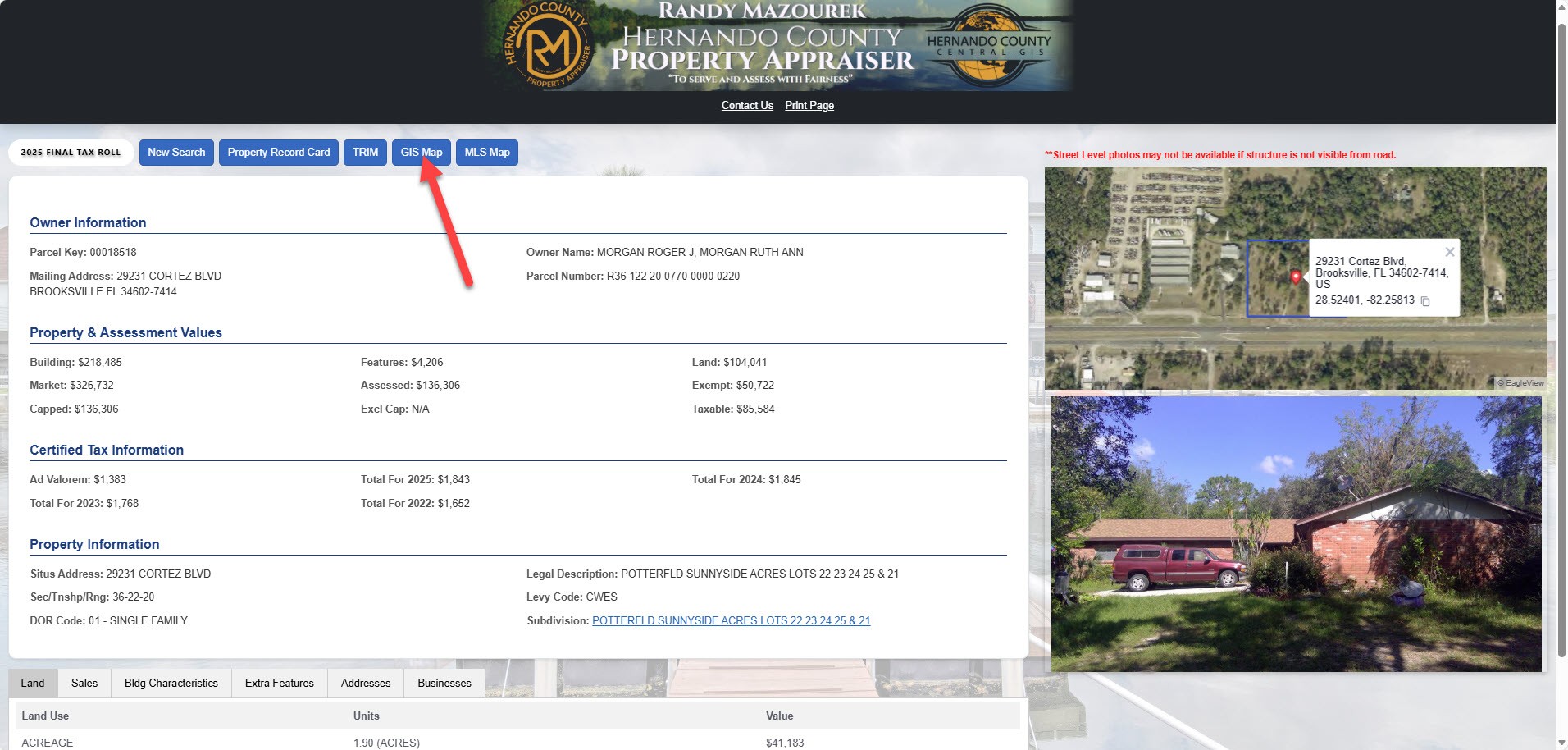
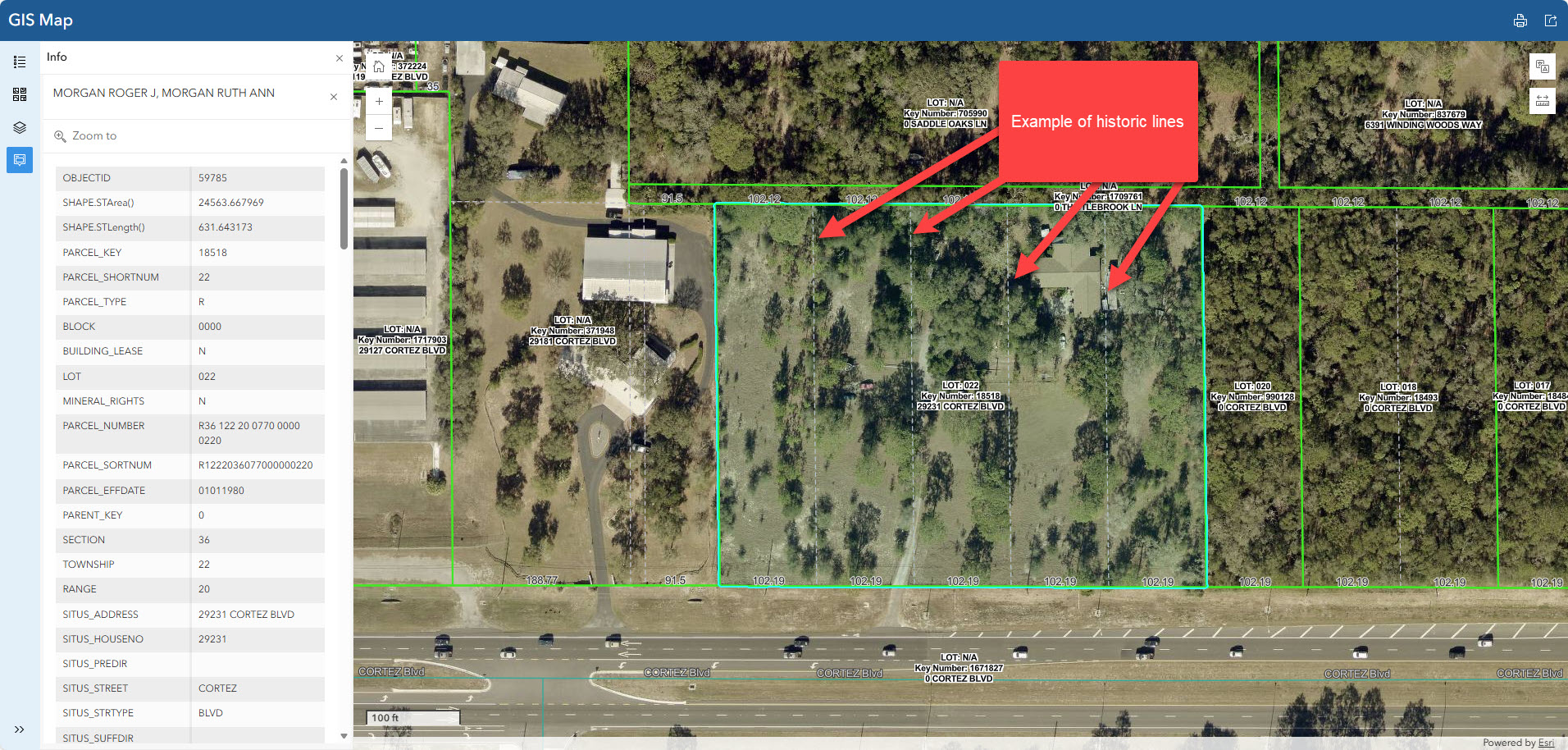
A property can be split if there is a historic line and the current certified taxes are paid. There is a $25 fee per parcel being split (accepted with cash under $20 bill or check only), we need a copy of the owners driver’s license the application can be found under other forms. The finished application can either be mailed in with payment or submitted in either office. To verify that there is a historic line use the GIS Map tab on the property search tool , the historic line is a dashed line see example below. If there is no historic line you will need to go through the planning department, they can be reached at (352) 754-4057.
You can contact our Tax Roll Analyst, Misty Arszulowicz, she can be reached at (352) 754-4190 Ext 25128.
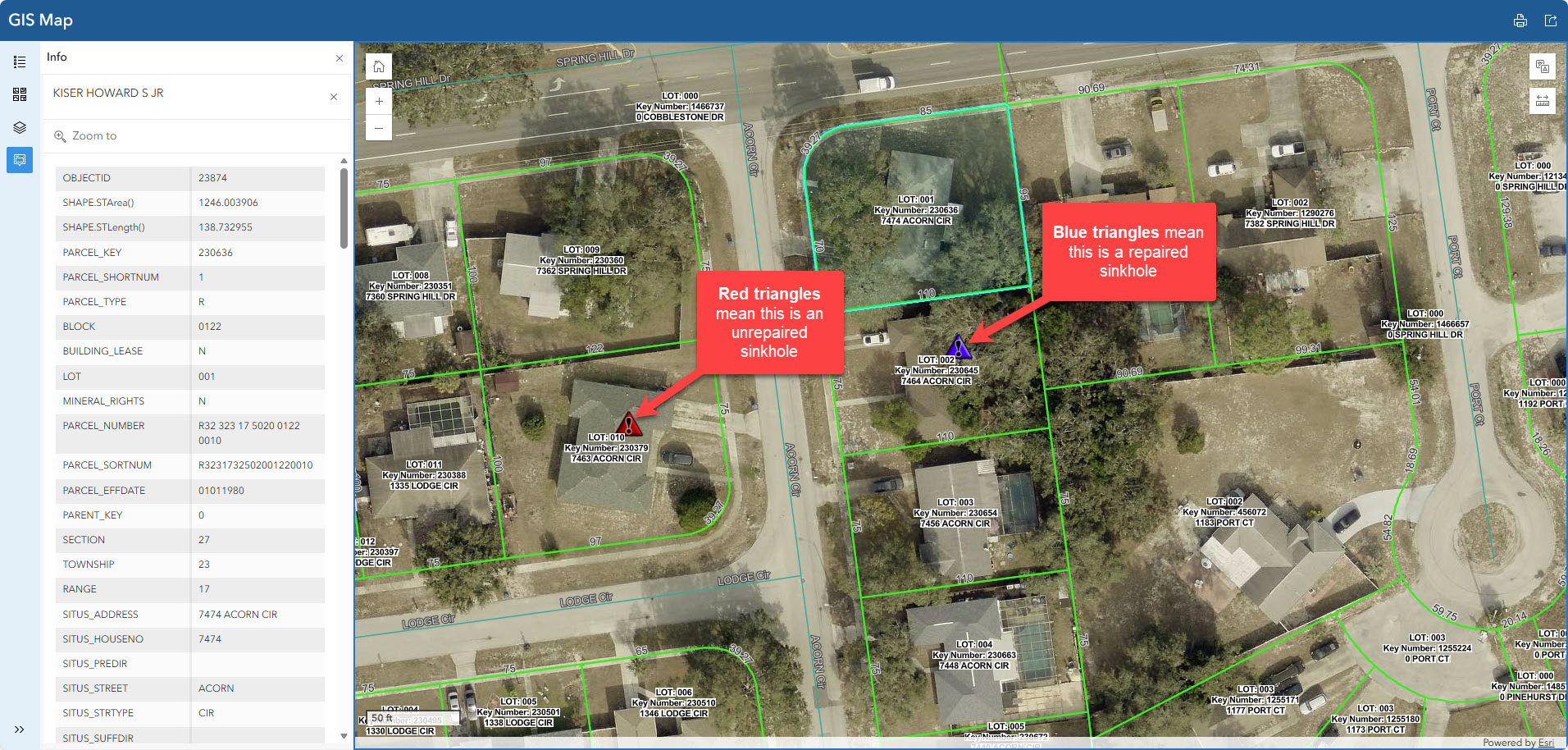
If you would like to see if your home is a sinkhole you can use the GIS Map tab on the property search and click the stabilization Permit Complete and Sinkhole Unrepaired layers on. The blue triangle means it’s a repaired sinkhole and a red triangle means this is an unrepaired sinkhole.